StellarOS
Privacy, built in.

StellarOS is a secure operating system designed to keep your device, apps, and data under your control.

With Stellar ID (optional), your notes, secrets, and services stay available across your devices.

Start on your phone. Continue on your desktop
Keep important data available across devices
One identity, across your ecosystem
Android 16 base
Latest security patches
Google-free by default
Built in Switzerland

Supported Pixel devices

Pixel 6aPixel 7aPixel 8Pixel 8aPixel 9Pixel 9 ProPixel 9 Pro XL

Built for privacy. Designed for clarity.

Built in
Switzerland
Android 16
security patches
Open-source
components
Google-free
by default
Powerful security
architecture
STELLAROS

The secure operating system

Simple controls. Clear pricing.

StellarOS includes

Stellar VPN

Hide your location and browse safely with one tap.

Stellar Voice Changer

Privacy-first voice effects for calls and recordings.

Stellar Secret

Send private links that disappear after they're opened.

Stellar Antivirus

Stops malware without spying on you.

Stellar Protect

Block USB attacks, theft protection, auto-wipe policies.

Stellar Private Notes

Write notes only you can see — even we can't read them.

Notice

Stellar ID is free and optional.

Buy StellarOS

Quick setup wizard

KEY PROTECTIONS

Security built into the system

Concrete protections and clear choices. No marketing fog.

Security Mode (Balanced, Strict or Custom)

Choose the level of hardening you want during setup — change it later anytime.

  • Balanced: safe defaults
  • Strict: maximum hardening
  • Custom: pick what matters
Learn more

Google-free by default

StellarOS ships with no Google services installed. Add them only if you want them.

  • Clean baseline
  • Less dependency surface
  • Optional Play Store later
Learn more

USB attack resistance

Charge-only behavior reduces data extraction risk by default.

  • Data blocked by default
  • Lower exposure to USB attacks
  • Pairs well with Protect policies
Learn more

Android 16 + latest security patches

Modern Android base and a patch-focused update posture.

  • Android 16 base
  • Latest security patches
  • Security-first defaults
Learn more
APPS + GOOGLE

Choose your compatibility level

Start Google-free or enable Google only if you need it.

Google-free mode (default)

Private baseline. No Google services installed.

  • Aurora Store + F-Droid
  • Most apps work normally
  • Some apps may require Google for push/maps/payments

Google-enabled mode (optional)

Enable Google services for maximum compatibility.

  • Install Google services after setup
  • Use Play Store normally
  • Best compatibility for Google-dependent apps
APP SOURCES

Aurora Store, F-Droid and Play Store

Install apps via Aurora Store and F-Droid in Google-free mode
or enable Google services and use the Play Store normally.

Aurora Store

A secure phone experience, upgraded by Stellar.

  • Works without Play services
  • Install & update apps
  • Anonymous or account sign-in

F-Droid

Open-source apps and repositories with transparent packages.

  • FOSS-first apps
  • Simple installs & updates
  • Great for privacy tools

Google Play Store

Optional: install Google services, then use Play Store normally.

  • Best compatibility for some apps
  • Paid apps supported
  • You decide if/when to enable Google
BUILT IN SWITZERLAND

Privacy-first by design

StellarOS is built in Switzerland with a security-first culture and strong privacy protections.

Why Switzerland
OWNERSHIP

Your device stays yours

No tracking, no ads, no data selling. You choose what to install and how locked-down you want your phone.

Buy StellarOS
THE STELLAR ECOSYSTEM

One identity. One secure ecosystem.

With Stellar ID, your notes, secrets, and services stay available across your devices.

Stellar Protect
Stellar Protect

Auto-wipe your phone, block USB attacks, and get theft alerts.

Learn more >
Stellar VPN
Stellar VPN

Hide your location and browse safely with one tap.

Learn more >
Stellar Antivirus
Stellar Antivirus

Stops viruses and malware without spying on you.

Learn more >
Stellar Private Notes

Write notes only you can see — even we can't read them.

Learn more >
Stellar Secret
Stellar Secret

Send private links that disappear after they're opened.

Learn more >
Stellar eSim
Stellar eSim

Get mobile internet without giving away your identity.

Learn more >
Stellar Cloud - Coming Soon
Stellar CloudComing soon

Store and share files without anyone else seeing them.

Learn more >
Stellar Mail - Coming Soon
Stellar MailComing soon

Private email that's easy to use and based in Switzerland.

Learn more >
StellarOS

The secure OS with only the services you choose.

SECURITY GOES BEYOND SETTINGS

Built to respond earlier.

Built into StellarOS, Lumen AI helps detect suspicious activity early and respond before it escalates.

STELLAROS

Pick your subscription

Choose the subscription that best fits your needs.

Choose your plan

3 months € 249Billed quarterly
6 months (save 10%)€ 329Save vs quarterly
Annually (save 20%)€ 459Best long-term value

Core platform

Android 16 foundation
Latest security patches
Google-free by default
Aurora Store + F-Droid
Optional Google + Play Store
Security Mode (Balanced, Strict or Custom)
INCLUDED WITH EVERY SUBSCRIPTION

A complete privacy system. Included.

StellarOS is the foundation. Stellar ID keeps your notes, secrets, and services securely connected across your devices — so what starts on your phone is ready on your desktop when you need it.

FOUNDATION
StellarOS

The secure and private system everything builds on.

IDENTITY
Stellar ID

Connects your services across devices.

NETWORK
VPN

Private, secure internet wherever you connect.

DATA
Secrets & Notes

Private tools for what matters most.

IDENTITY
Stellar ID

Write a note on your phone. Open it later on your desktop. Save something securely. Access it anywhere. Stellar ID keeps the experience connected without giving up privacy.

NETWORK
Stellar VPN

Private, secure internet across Wi-Fi and mobile networks — built to feel effortless.

DEVICE
Stellar Protect

Real-time device protection for loss, theft, and suspicious access — designed to keep you in control.

DEVICE
Stellar Antivirus

Advanced malware protection designed to protect your device without turning your privacy into the product.

DATA
Stellar Secret

Secure one-time sharing for passwords, links, and sensitive information when discretion matters.

DATA
Stellar Notes

Private notes that stay encrypted and ready across your phone and desktop through Stellar ID.

Included products are designed to feel like one system — clear, connected, and simple to use.
SELECTED

3 months

Billed quarterly

Price249 EUR

After purchase you'll receive an install link and your license key instantly.

Your subscription supports

  • Continuous security updates
  • New StellarOS features
  • Secure infrastructure
  • Development of the Stellar ecosystem and Stellar ID
  • Long-term device support

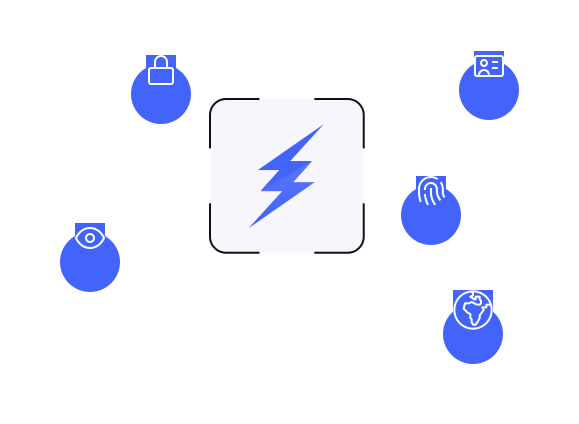
STELLAR ECOSYSTEM AT A GLANCE

A visual overview

Tap any bubble to learn more.

Stellar ID (optional)One login
WEB INSTALLER

Install StellarOS
in minutes

The easiest way to install StellarOS is through our secure web installer. No command line required. Just connect your device and follow the steps.

View installation guide

Works on Windows, macOS and Linux through Chromium-based browsers.

What you need

Supported Pixel device

Use a compatible device listed in the compatibility section.

USB cable

Connect your phone directly to your computer during installation.

Chrome or Chromium browser

The web installer runs directly in a modern browser.

10–15 minutes

The full install is quick and guided step by step.

How the install works

This section should reduce fear, not teach everything. Show the flow clearly, then let the installer handle the details.

1
Unlock your device

Unlock the bootloader on your supported Pixel device. This is a one-time step required to install StellarOS.

About 2 minutes
2
Connect your phone

Plug your phone into your computer using a USB cable. The web installer will detect the device and guide you.

Automatic device detection
3
Install StellarOS

The installer downloads the required files and securely flashes StellarOS to your device through the browser.

No command line required
4
Ready, Set & Go

Your phone reboots into a clean StellarOS installation. Finish setup and start using your device right away.

Full setup: 10–15 minutes

Safe installation process

  • Official StellarOS web installer
  • Verified OS images
  • Secure flashing process
  • Guided flow from start to finish

Good to know

  • You do not need advanced technical knowledge
  • The process works directly in your browser
  • You can restore the original Android system later
  • Compatible with Windows, macOS and Linux
FAQ

Questions before buying

Direct answers. No marketing junk.

What Android version is StellarOS based on?

StellarOS runs on Android 16 and is built to stay current with security updates.

How do I install apps?

Use Aurora Store, F-Droid, or optionally install Google services and use Google Play Store.

Where is StellarOS built?

StellarOS is built in Switzerland by Stellar Security.

Does StellarOS include Google Play services?

No. StellarOS ships without Google services by default. You can choose to install them after setup.

Will my apps work without Google?

Most apps work fine. Some rely on Google services for push notifications, maps, or payments.

Which phones are supported?

Pixel 6a, 7a, 8, 8a, 9, 9 Pro, and 9 Pro XL.

Take back control of your device

StellarOS removes unnecessary tracking and gives you a secure Android foundation. Start with a supported Pixel device today.

Buy StellarOS

Shopping Cart

0 items

Your cart is empty

Looks like you haven't added
any items to your cart yet.